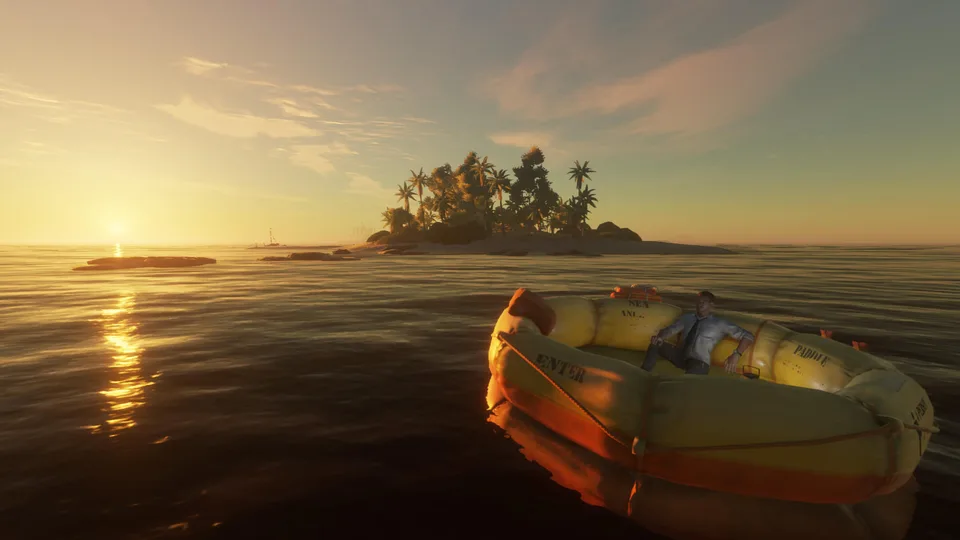
Discover the best stranded deep mods to transform your survival gameplay. Get essential tips, configuration guides, and community insights today.
Published: Stranded Deep Wiki Editorial Team
Table of Contents
Essential Stranded Deep Mods for Survival
Survival in the Pacific can become repetitive once you master the vanilla mechanics, which is why downloading stranded deep mods has become essential for veteran players looking for a fresh challenge. Beam Team Games created a compelling ocean survival experience, but the community has pushed boundaries by introducing complex thermal systems, expanded archipelagos, and advanced inventory management. Whether you want to make survival unforgivingly realistic or simply streamline tedious tasks, the right modifications completely redefine how you interact with the environment.
When diving into stranded deep mods, understanding how to configure your game files properly ensures a stable playthrough without unexpected crashes. Community reports indicate that modern plugin loaders make installation smoother than ever, allowing players to integrate custom scripts seamlessly. Below is an overview of popular community-created enhancements currently trending among PC survivalists.
Expanded Navigation
Introduces multi-region maps and split-screen compatible tracking tools, letting you explore vast archipelagos without losing your home island.
Environmental Hardcore
Adds deep survival meters including calorie consumption, core body temperatures, wetness status, and dynamic sickness risks.
Storage & Quality of Life
Streamlines crafting by pulling resources directly from nearby containers and allowing rapid saving without building complex shelters.
Transforming Core Survival Mechanics
Vanilla survival often lets players ignore their hunger and thirst for extended periods if supplies are managed efficiently. However, advanced community packages introduce harsh biological realities that alter every decision you make on an island. According to player experience reports, implementing rigorous metabolism tweaks forces you to plan every expedition carefully, as physical exertion rapidly drains your core energy reserves.
To understand how these mechanical overhauls impact your daily routine, consider the following breakdown of environmental factors and their survival consequences:
Survival Mechanic
Vanilla Behavior
Modded Behavior (Stranded Deep Mods)
Calorie Burn
Slow depletion over several days
Rapid decrease during physical tasks like cutting trees
Shelter Requirements
Basic cover for sleeping
Strict foundation and four-wall requirements to prevent sickness
Map System
Limited or blank navigation tools
Expanded four-times-larger maps with progressive fog-of-war
Quick Saving
Restricted to shelter beds
Flexible saving options accessible via hotkeys
Managing these enhanced survival elements requires constant monitoring of your watch interface. If your character gets caught in a storm without proper cover, hypothermia and fever will quickly drain your health.
Tip
Always construct a reliable shelter and maintain a burning campfire before nightfall to combat sudden temperature drops during rainy weather.
Optimizing Inventory and Crafting Systems
Managing items efficiently in a survival game can make or break your immersion. Many players find themselves spending hours dragging materials from storage boxes to crafting benches. Fortunately, specific utility files found on platforms like Nexus Mods Stranded Deep solve these bottlenecks by introducing container crafting and stack modifications.
These organizational enhancements allow you to access resources stored inside nearby chests automatically. You no longer need to dump every rock and stick onto the sandy beach just to build a simple raft foundation.
Download and install the core BepInEx framework compatible with your game version.
Extract your chosen utility or inventory plugin directly into the designated game directory.
Launch the game and access the newly integrated configuration menu to adjust stack sizes and container radiuses.
Test the crafting bench near your storage boxes to ensure materials are recognized automatically.
Streamlining Exploration and Raft Building
Building a mobile base is the ultimate goal for any castaway. Community creators have developed tools that turn standard watercraft into floating fortresses equipped with functional furniture and persistent attachments. When exploring randomized ocean maps, having a reliable raft prevents you from getting stranded on barren reefs.
The following checklist helps ensure your exploration setup is ready for long-distance voyages across treacherous waters.
[ ] Verify your boat motor fuel consumption settings to ensure efficient island hopping.
[ ] Equip split-screen or navigation mods if playing with friends locally.
[ ] Secure a reliable water still source on your raft to prevent dehydration mid-ocean.
[ ] Keep emergency medical supplies on hand to treat sudden bleeding or poisoning.
Frequently Asked Questions
Are stranded deep mods safe to install on the latest game version?
Most community files require the BepInEx framework to function correctly. Always verify that the specific plugin was updated for your current game build to avoid compatibility crashes.
Can I use these modifications in multiplayer or split-screen?
Yes, several navigation and UI scaling mods are specifically designed to support local split-screen sessions, making shared island discovery much smoother.
Do I need to start a new game when installing gameplay overhauls?
While minor configuration or texture tweaks can be added mid-save, major survival mechanic overhauls often require a fresh save file to initialize properly.