Stranded Deep Xbox Guide: Survival Tips & Crafting
Get the latest Stranded Deep Xbox tips, crafting guide, and survival strategies. Discover essential controls and master ocean survival today.
Published: Stranded Deep Wiki Editorial Team
Table of Contents
Introduction to Stranded Deep Xbox Survival
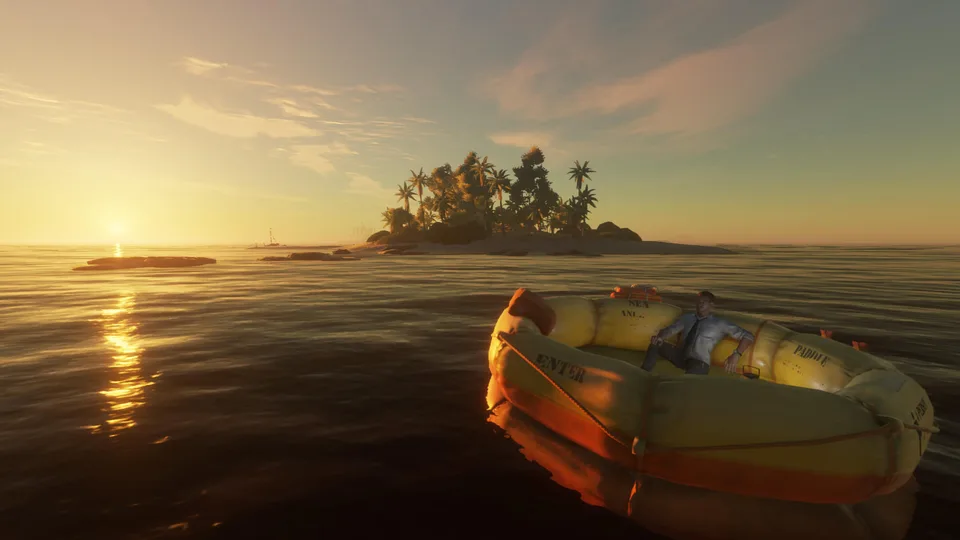
Waking up alone in the middle of the vast, unforgiving Pacific Ocean after a mysterious plane crash is a terrifying way to begin your journey. If you are diving into stranded deep xbox, you are stepping into a challenging open-world survival adventure where hunger, thirst, and hostile marine life constantly conspire against your survival. Understanding the core mechanics early on makes the difference between thriving on a tropical island and perishing in the deep blue sea.
Knowing the essential settings, stat management, and efficient crafting paths gives you an immediate upper hand when playing stranded deep xbox. Without a proper plan, players often waste precious daylight, lose critical resources, or fall victim to aggressive sharks. This comprehensive guide details everything you need to master console survival, from initial setup and inventory tricks to advanced crafting priorities.
Initial Settings and Preparing Your World
Before loading into your new save file, optimizing your game options prevents frustrating early-game headaches. Community reports and player experience indicate that the default in-game tutorial can be confusing and incomplete, making it much more efficient to disable it right from the main menu.
You should also turn off auto-walk to maintain precise control over your movement. Additionally, take a close look at the wildlife setting before starting your game.
Wildlife Settings
Set wildlife to default (aggressive) if you want a true hardcore challenge where sharks attack you in the water. Choose passive if you want animals to populate the world without attacking, or remove them entirely for a relaxed exploration experience.
Cartography Map
The game generates a custom world map layout that you can view in the Cartography menu. Because there is no built-in interactive map while playing, always take a smartphone photo of your initial map layout to ensure you can navigate effectively later.
Managing Your Stats and Vital Watch Metrics
Keeping a close eye on your survival watch is crucial for staying alive. By pressing the designated button on your controller, you can cycle through your health, food, water, and solar protection factor (SPF).
The SPF meter tracks direct sun exposure, which drops rapidly when the UV index is high. Early-game players often combat high UV exposure by fishing while standing waist-deep in the ocean or by consuming aloe vera plants found on islands to instantly refill their SPF bar.
Check Your Watch: Press the Y button on Xbox to pull up your survival watch and evaluate your current health, food, water, and SPF levels.
Monitor Status Effects: Tab over to check for negative effects like dehydration, bleeding from shark attacks, or poisoning, and rely on the healthy status effect to naturally regenerate health.
Manage Hydration Safely: Consume coconuts carefully to avoid triggering the dreaded diarrhea debuff, which completely drains your water meter.
Stat Metric
Primary Function
Best Countermeasure
Health
Measures overall vitality
Maintain healthy status and use bandages for bleeding
Food & Water
Prevents starvation and dehydration
Forage fruits, cook meat, and manage coconut drinks
SPF / UV
Tracks sun damage to your skin
Stand in shade, fish in water, or consume aloe vera
Craftsmanship
Unlocks advanced tools and structures
Rapidly craft crude spears to level up fast
Fast Crafting and Resource Management
Gathering basic materials like sticks and stones is your first priority upon reaching land. If loose rocks are scarce, you can pin a recipe in your crafting menu to utilize the game's quick-crafting detection radius. Furthermore, community reports emphasize that items in this game do not despawn on islands; cluttering your base can eventually cause performance lag. Drop unwanted items into the deep ocean void where they sink permanently.
Pin your desired crafting recipe to quickly detect nearby stones and sticks on the ground.
Keep young palms and yuccas harvested on cooldown to secure a steady supply of fibrous leaves.
Build item piles for rocks and sticks early to streamline your inventory management.
Construct a basic shelter as soon as possible so you can safely save your game progress.
Tool / Item
Required Materials
Craftsmanship Level
Primary Purpose
Stone Tool
1 Stone
Level 0
Basic cutting and harvesting
Refined Knife
1 Stone Tool, 1 Lashing, 1 Stick
Level 0
Efficient skinning and combat
Crude Spear
2 Sticks
Level 1
Hunting wildlife and fast leveling
Raft Base
14 Sticks, 1 Lashing
Level 2+
Building your water transport
Frequently Asked Questions
How do I save my game in Stranded Deep on Xbox?
You must construct a shelter using wood sticks and fronds. Once built, interact with the shelter to sleep or save your progress before ending your play session.
Why am I getting sick from drinking coconuts?
Drinking too many coconuts in quick succession causes diarrhea, which completely depletes your water meter. Space out your coconut consumption by waiting about 10 in-game seconds between drinks.
How do I level up my craftsmanship quickly?
Player experience shows that the fastest and cheapest method to raise your craftsmanship level is gathering sticks and continuously mass-crafting crude spears.
Can I play Stranded Deep with friends on console?
Yes, stranded deep xbox fully supports online co-op multiplayer for up to two players, allowing you and a friend to survive the Pacific together.