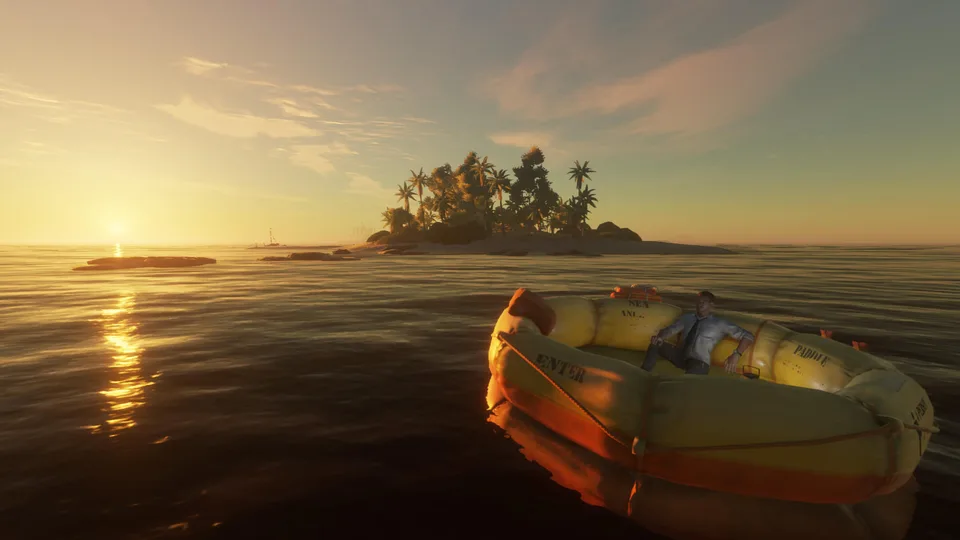
Stranded Deep How to Revive Player: Complete Guide
Learn how stranded deep how to revive player mechanics work in co-op mode, including host versus guest respawn rules and essential survival tips.
Published: Stranded Deep Wiki Editorial Team
Table of Contents
Introduction to Survival and Revive Mechanics
Surviving the unforgiving archipelago in Stranded Deep is challenging enough solo, but tackling the open ocean with friends adds an entirely new layer of coordination. If you have ever wondered stranded deep how to revive player mechanics function when disaster strikes far from home, understanding the rules can save hours of lost progress. Knowing how death and respawning operate in a multiplayer session is essential for maintaining your survival momentum and avoiding endless death loops.
In cooperative sessions, dying is rarely a clean break. When your health drops to zero or status effects like venom take over, you do not instantly respawn at a bed; instead, you enter a vulnerable downed state. This guide breaks down everything you need to know about reviving teammates, managing host limitations, and recovering your hard-earned resources.
Understanding the Multiplayer Revive State
When a player drops to zero health during a multiplayer session, they transition into a disabled state accompanied by an extended countdown timer. According to community reports, ignoring this timer or waiting it out without intervention leads to permanent death for that character instance.
To prevent total failure, teammates must act quickly. However, standard healing items like crude bandages or medical supplies are strictly required to pull a partner back from the brink. Without the correct medical components crafted and in hand, your options become severely limited.
Tip
Always keep at least one bandage or advanced medical kit stashed in a shared container or your active inventory when exploring dangerous islands or deep waters.
The following table compares the typical survival recovery methods available during standard gameplay versus cooperative multiplayer scenarios:
Gameplay Mode
Death Consequence
Recovery Method
Resource Requirement
Singleplayer
Immediate load screen
Reload last saved game
None (Progress loss)
Multiplayer (Guest)
Downed state / Quit & Rejoin
Reconnect to host session
None (Location may vary)
Multiplayer (Host)
Session termination
Reload save or teammate revival
Bandage / Medical kit
Host vs. Guest Respawn Rules and Workarounds
One of the most frequent points of confusion for survival groups involves the difference between the session host and visiting guests. Player experience shared on community forums highlights distinct behaviors depending on who suffers a fatal blow.
If the secondary player (the guest) dies away from the main base, they possess a convenient workaround. By opening the pause menu, quitting the session, and immediately rejoining the host, the guest bypasses the long waiting timer. They spawn back into the active world, though any raft or loose resources they left behind remain at their exact death location.
[!STEPS]
1. Guest player drops to zero health and enters the revive state.
2. Instead of waiting for the bleed-out timer, open the game menu.
3. Select 'Quit' to return to the main menu.
4. Rejoin your friend's active multiplayer lobby to spawn back into the session.
Conversely, the session host faces much stricter limitations. If the host dies, quitting kills the entire multiplayer session instantly. Therefore, hosts must either rely on a teammate to bring a bandage for a manual revive or reload the game from the most recent save point.
Managing Health, Venom, and Fatal Errors
Beyond physical trauma like broken bones from falling trees or aggressive wildlife attacks, environmental hazards pose a constant threat. Contracting venom from sea urchins, stonefish, or snakes without an antidote turns a routine island expedition into a death sentence.
When evaluating stranded deep how to revive player strategies, prevention remains far superior to cure. If poison sets in and you lack the specific ingredients to craft a pipi plant antidote, your survival window shrinks rapidly.
Warning
Saving your game while actively poisoned without an antidote available can trap your save file in an inescapable death loop, forcing you to restart your progress entirely.
The comparison below outlines common survival hazards and their impact on your revive strategies:
Hazard Type
Primary Source
Immediate Effect
Preventive Action
Physical Trauma
Falls, sharks, boars
Broken bones, rapid health drain
Carry splints and crude bandages
Venom / Poison
Sea urchins, snakes
Continuous, fatal health decay
Harvest pipi plants immediately
Dehydration
Sun exposure, salt water
Stamina loss, slow movement
Build coconut flasks and water stills
Essential Tips for Seamless Co-Op Survival
To minimize the frustration of unexpected deaths during your maritime adventures, establish clear protocols with your squad. Designating roles, maintaining shared supply chests on your rafts, and communicating health statuses before embarking on long voyages across deep ocean grids will keep your team alive.
As you master stranded deep how to revive player mechanics, remember that preparation dictates success. Always scout new islands carefully, secure fresh water sources early, and ensure your inventory contains emergency medical gear before tackling uncharted territory.
Keep Emergency Kits Ready
Store bandages and water filters near your raft's departure point so reviving teammates or treating sudden injuries takes seconds rather than minutes.
Frequently Asked Questions
Can you revive a dead player without a bandage?
No. Standard multiplayer rules require a teammate to apply a bandage or medical item while the downed player is in the bleed-out state to successfully complete a revive.
What happens if the host dies in Stranded Deep multiplayer?
If the host dies, quitting the session ends the game for everyone. The host must either be revived by a guest using medical supplies or reload the game from the last saved checkpoint.
Can guests keep their items after dying and rejoining?
Guests who choose to quit and rejoin after dying will spawn back into the active world, but any portable items, tools, or rafts they left behind remain at the location where they perished.
How do I learn more about game updates and guides?
You can check official announcements and community discussions directly on the Stranded Deep Steam Store Page to stay updated on multiplayer tweaks and patches.