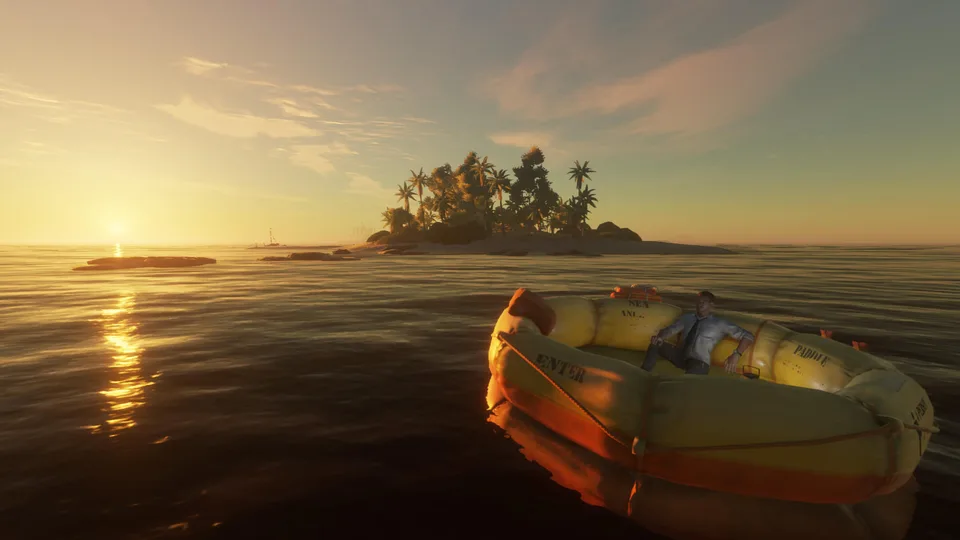
Master stranded deep how to start a fire with this complete guide. Learn essential crafting steps, refueling tips, and survival strategies today.
Published: Stranded Deep Wiki Editorial Team
Table of Contents
Introduction to Survival Crafting on Remote Islands
Finding yourself marooned in the middle of the vast Pacific Ocean presents immediate challenges that test your survival instincts right from the very first minute. Knowing stranded deep how to start a fire is arguably the most critical skill you can acquire, as warmth, cooked food, and light depend entirely on your ability to master this primitive mechanic. Without a reliable flame, surviving the harsh elements and managing your vital stats becomes an uphill battle against the unforgiving wilderness.
According to player experience and community reports shared by survival enthusiasts like Keith Kay, gathering the right materials early on sets the foundation for a successful playthrough. Developed by Beam Team Games, Stranded Deep challenges players to utilize every available resource on their initial island. In this comprehensive guide, you will discover the exact steps required to build, ignite, refuel, and extinguish your campfire efficiently, ensuring your castaway makes it through the first cold night.
Gathering Materials and Basic Campfire Crafting
Before you can worry about ignition, you must collect the fundamental components needed for your survival setup. The primary requirement for stranded deep how to start a fire begins with finding four ordinary wood sticks scattered across the ground of your starting island. Alternatively, players can chop down small palm trees or ficus trees, then chop up the resulting logs into manageable pieces to secure enough timber for your crafting needs.
Once you have gathered the necessary materials in your inventory, you can streamline the setup process. On PC platforms, holding down the C key allows for quick crafting of the campfire structure.
Collect four wood sticks from the ground or by chopping down local trees.
Open your crafting menu or use the quick craft command (hold C on PC).
Place the finished campfire structure on a flat surface of your choice.
Gather an additional two sticks specifically designated as kindling before attempting ignition.
The following table outlines the core components and their specific roles in your early-game survival setup:
Component Name
Required Quantity
Primary Purpose
Acquisition Method
Wood Sticks
4 pieces
Forms the main campfire structure
Foraging ground items / chopping trees
Kindling
2 pieces
Used alongside friction to ignite the fire
Foraging extra sticks from the environment
Fuel Source
1+ sticks
Extends the burning duration of an active fire
Chopping wood logs or collecting ground sticks
Mastering the Ignition and Fire Starting Mechanics
With your campfire placed and your kindling ready, the next phase of stranded deep how to start a fire requires precise physical interaction. Hover your cursor over the campfire structure to check the status ring around the base, which indicates current fuel levels and burn status. According to community reports, players must ensure their hands are relatively clear and their kindling is positioned right next to the unlit ring before triggering the ignition prompt.
Tip
When the interaction prompt appears on your screen, click the left and right mouse buttons as rapidly as possible on PC to simulate friction. Success will reward you with a crackling flame, while failure simply means you need to re-engage the prompt and try the rapid-clicking technique again.
After the fire successfully ignites, the kindling is no longer consumed or needed for that specific instance. Experienced players often leave the used kindling directly beside the fire pit so it remains easily accessible for future survival sessions, preventing unnecessary inventory clutter while exploring the island.
Refueling and Managing Your Active Campfire
Understanding stranded deep how to start a fire is only half the battle; maintaining that flame efficiently separates novice castaways from seasoned survivalists. As time passes in the game world, the outer ring of the campfire will steadily decrease, visually signaling that your fuel is running low. Instead of dismantling your setup or wasting precious resources on building entirely new campfires, you can effortlessly refuel your existing flame.
Single Stick Refueling
Add a single wood stick to a dwindling fire by hovering over it and holding the E key on PC. This instantly tops up the fuel gauge without requiring a complete rebuild.
Safe Extinguishing
Turn off your active fire when cooking is complete to preserve remaining fuel. Simply hover over the lit campfire and press the E key with an empty hand to put it out safely.
To help visualize resource consumption during your island stay, review the following efficiency comparison table:
Action Type
Resource Cost
Time Investment
Efficiency Rating
Building New Fire
4 Sticks + 2 Kindling
High (Frequent crafting)
Low (Wastes materials)
Refueling Existing Fire
1 Stick per top-up
Low (Quick interaction)
High (Conserves timber)
Extinguishing Safely
0 Resources
Instantaneous
Optimal (Saves stored fuel)
For further official updates and platform details regarding this survival title, you can visit the official Stranded Deep Steam Page to check out community hubs, developer announcements, and system requirements.
Frequently Asked Questions
How many sticks do I need for stranded deep how to start a fire?
You need a total of six sticks: four to construct the initial campfire base and two additional sticks to serve as kindling for the ignition process.
Can I refuel my campfire without building a new one?
Yes. You can easily refuel an active or burning campfire by holding the E key on PC while hovering over it with a single wood stick in your inventory or hand.
Why is my campfire not turning off when I press the interaction button?
If you are having trouble extinguishing your fire, make sure your character's hand is completely empty before hovering over the flame and pressing the E key.