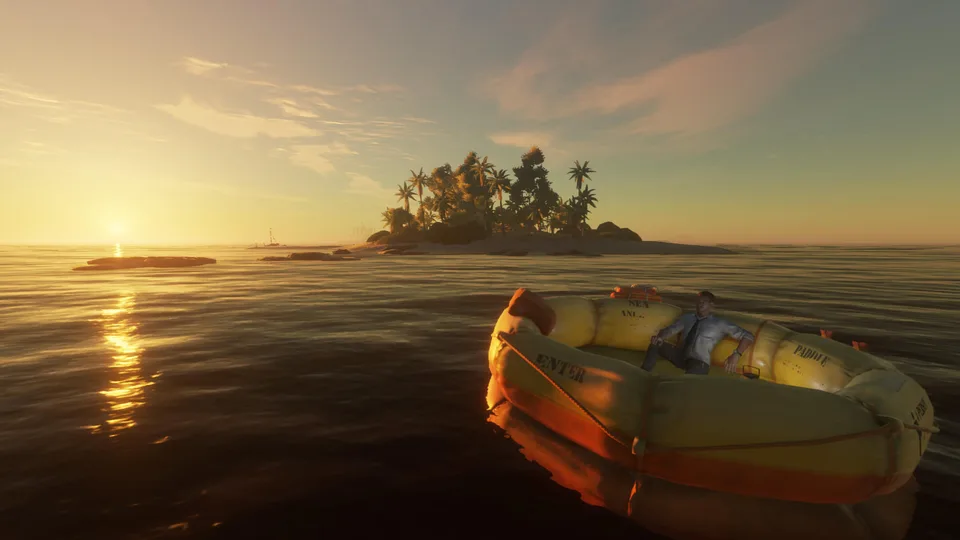
Discover everything you need to know about stranded deep pc, from graphics settings and mods to survival tips. Get the ultimate guide today!
Published: Stranded Deep Wiki Editorial Team
Table of Contents
Dive Into the Ultimate Ocean Survival Experience
If you have ever wanted to test your survival instincts against the unforgiving elements of the Pacific Ocean, stranded deep pc delivers an intense test of skill and endurance. Understanding the nuances of stranded deep pc is essential for new and veteran castaways alike, especially when comparing its feature set to console editions or navigating the vast open-world mechanics crafted by Beam Team Games.
When you begin your journey in this immersive survival crafting game, every second counts as you scavenge for resources, manage vital signs, and build a makeshift home. This comprehensive guide explores what makes the PC edition stand out, providing practical insights for your next oceanic adventure.
PC vs. Console: Why the PC Version Shines
Player experience and community reports consistently highlight significant differences between platform editions. While both versions share the core survival loop, the PC release offers superior graphical fidelity, customized controls, and unmatched expansion capabilities.
As noted by community feedback, the ability to tweak draw distances and adjust your field of view transforms the gameplay experience. You can check out official updates and community hubs directly on the Steam Store Page for Stranded Deep.
Mastering Survival Mechanics and Crafting
Surviving the aftermath of a mysterious plane crash requires more than just luck. You must closely monitor your interactive survival watch to keep track of health, hunger, thirst, and sunstroke.
Gather Basics: Collect loose rocks, sticks, and palm fronds near your starting island.
Craft Tools: Fabricate a stone tool and upgrade quickly to a refined knife for skinning animals.
Secure Water: Build a water still immediately to ensure a steady supply of fresh drinking water.
Establish Shelter: Construct a durable base and set up a campfire for cooking fish and crab meat.
Managing your vitals effectively prevents common hazards like poisoning, broken bones, and bleeding. As your harvesting, craftsmanship, and hunting skills level up, you unlock advanced survival recipes that make island hopping much safer.
Exploring Custom Islands and Modding Potential
One of the greatest advantages of playing stranded deep pc is the freedom to modify your gameplay environment. Unlike closed console ecosystems, PC players enjoy access to a thriving modding community.
Steam Workshop Custom Islands
Download hand-sculpted custom islands created by community designers. Explore unique terrain layouts and challenging survival scenarios crafted by fellow players.
Nexus Mods Enhancements
Install quality-of-life mods, such as in-game minimaps, ultra-hard difficulty tweaks, and advanced building placement tools that let you construct bases directly on your raft.
Developer Console
Utilize the built-in dev console on PC to experiment with free-roaming flight, instant item spawning, and custom world testing.
Essential Tips for Surviving the Pacific
Whether you play solo or dive into online co-op with friends, adopting efficient routines ensures long-term survival success.
Always carry extra bandages and pipi plants to instantly cure unexpected poisonings.
Build a gyrocopter once you gather enough engine parts and gyro components for fast aerial scouting.
Mark visited islands using crude directional markers or cartographer maps to avoid getting lost.
Save your game frequently at shelters before taking on apex predators like sharks or island bosses.
Frequently Asked Questions
What are the system requirements for playing stranded deep pc?
You will need at least a Windows 7 (Windows 10 recommended) 64-bit operating system, an x64 quad-core CPU at 2.0GHz+, 8 GB of RAM, and a graphics card with 2GB VRAM supporting DirectX 11.
Can I play stranded deep pc with my friends in multiplayer?
Yes, the PC version supports online co-op and split-screen modes, allowing you and a friend to tackle the perils of the Pacific Ocean together.
How do custom islands work in stranded deep pc?
You can use the in-game map editor to hand-sculpt terrain, place individual trees and rocks, or download incredible custom creations directly from the Steam Workshop to add to your survival world.